Gamepad Tester
Controller selectionGamepad Tester — Test Any Controller Online Instantly: PS5, PS4, Xbox, Switch & More
The most accurate free online gamepad tester available. Diagnose button presses, analog stick drift, trigger sensitivity, vibration motors, and input lag — all directly in your browser using the HTML5 Gamepad API. No software installation, no registration, no cost. Works with USB and Bluetooth controllers on Windows, macOS, Linux, and ChromeOS.
Controller models supported
Dedicated diagnostic tests
Controllers at once
Setup time required
What is an online gamepad tester?
An online gamepad tester is a browser-based diagnostic tool that reads every signal your gaming controller sends — button states, analog axis values, trigger pressure levels, and rumble motor feedback — and displays that data visually in real time. It replaces the need for device-specific software or operating system calibration panels that are often limited, outdated, or unavailable on some platforms.
Our gamepad tester uses the HTML5 Gamepad API, a W3C-standardized interface built into all modern browsers. When your controller connects via USB or Bluetooth, the browser exposes every input channel as a readable data stream. Our tool captures that stream at up to 60 readings per second and renders it visually so you can see exactly what your controller is communicating — every axis float, every button boolean, every trigger analog value.
This is particularly valuable for diagnosing problems invisible during normal gameplay: a left stick with a 3% drift offset that causes characters to drift, a bumper button registering only 90% of presses, or a trigger that maxes out before the physical press is complete.
How to test your gamepad — complete step-by-step guide
Plug in via USB cable, or pair over Bluetooth through your operating system settings. On Linux, USB is the most reliable method. Once connected, your controller will appear automatically in the tester — no button press needed on most systems.
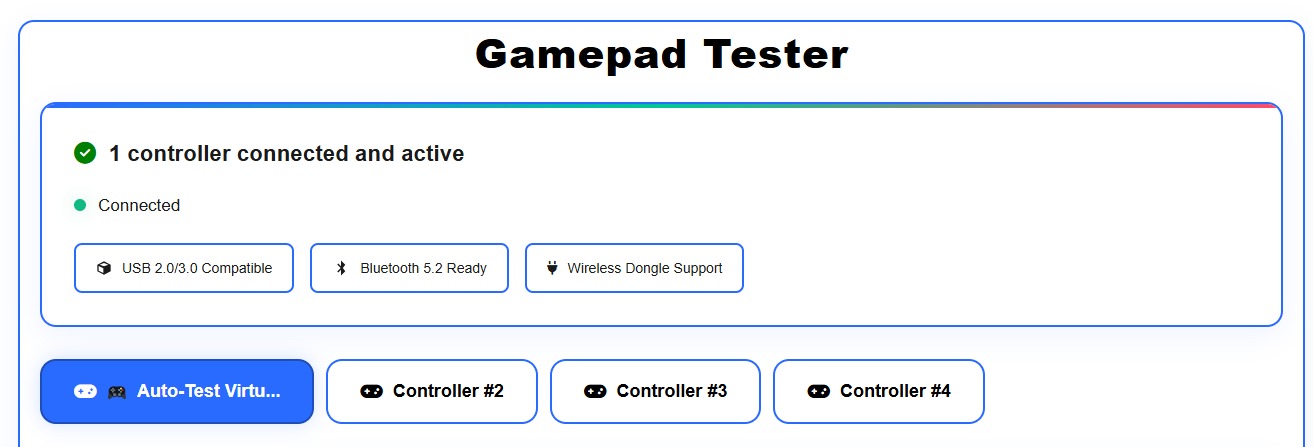
Press any button on your controller to wake it up. This triggers the browser’s Gamepad API activation handshake, which hands control to our tester. You’ll see your controller slot light up with its reported name, button count, and axis count.
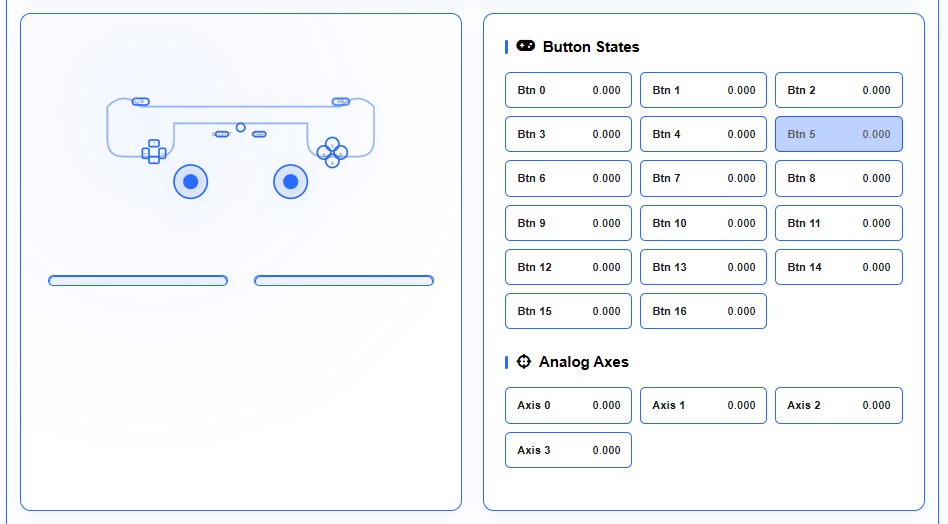
Use the tabs to run specific diagnostic tests: button response, stick drift, deadzone calibration, trigger pressure, vibration, input latency, and connection stability. Each test provides a clear visual readout and a pass/fail indication.
4. Interpret and actUse our results guide below to understand what normal readings look like versus signs of wear, hardware failure, or software misconfiguration. Most issues have a clear fix path that does not require hardware replacement.
Every test explained — what each diagnostic does
Tests every button for accurate registration. Each button highlights on press and logs the reported value (0.0–1.0). Analog triggers report fractional values; digital buttons report exactly 0 or 1.
Detects unwanted analog stick movement when the stick is released. Healthy stick reads X/Y within ±0.05 of center. Readings outside that range at rest indicate stick drift.
Maps precise deadzone boundary of each analog stick. Healthy deadzone is 5–10% of total travel. Shows exact measurements.
Tests full analog range from 0.0 (released) to 1.0 (fully depressed). Identifies if a trigger maxes out before full travel.
Tests weak and strong vibration motors using Gamepad Haptics API. Adjust intensity 0–100% and select patterns.
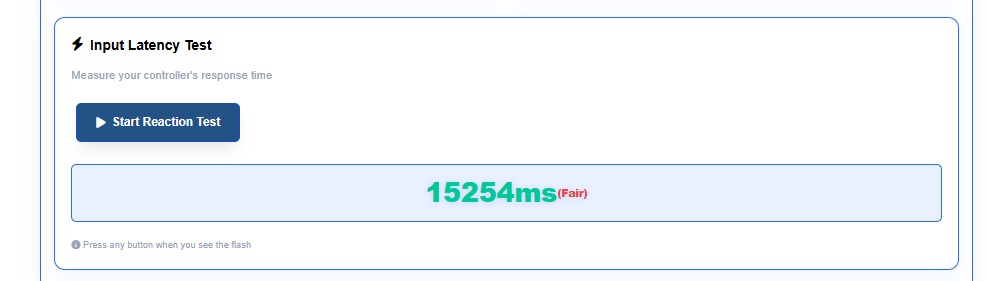
Measures time between physical button press and browser registration. Wired: 1–8ms, Bluetooth: 8–20ms. Values above 25ms may indicate issues.
Monitors dropped inputs, interruptions, and signal inconsistency. Run for 60 seconds and check drop rate.
Supported gaming controllers — full compatibility list
Our gamepad tester supports every controller that exposes itself through the standard HID (Human Interface Device) protocol, covering virtually every mainstream gaming controller sold today.
- DualSense (PS5)
- DualSense Edge (PS5)
- DualShock 4 (PS4)
- DualShock 3 (PS3)
- PS Move Motion Controller
- Xbox Series X/S Wireless
- Xbox Elite Series 2
- Xbox One Wireless
- Xbox 360 Wired
- Xbox Adaptive Controller
- Switch Pro Controller
- Joy-Con (L) & Joy-Con (R)
- GameCube (via adapter)
- Wii U Pro Controller
- 8BitDo all models
- Logitech F310/F710
- Razer Wolverine/Kishi
- PowerA Enhanced
- Generic USB/Bluetooth HID
Works seamlessly with third-party emulation layers including DS4Windows, x360ce, BetterJoy, and ViGEm. If your software remaps controller output to a standard XInput or DirectInput profile, our tester reads the remapped signals correctly.
How the Gamepad API works — technical deep dive
The W3C Gamepad API is a browser-native JavaScript interface that allows web pages to read input from connected HID-compliant game controllers. When a controller connects and the user presses a button, the browser fires a gamepadconnected event and exposes a Gamepad object containing the controller’s full state.
Each Gamepad object contains an axes array (float values from -1.0 to 1.0 representing analog sticks and triggers) and a buttons array (GamepadButton objects with pressed boolean and value float). Our tester polls this data using requestAnimationFrame at up to 60 times per second and renders the results visually.
This polling approach is why our tester is accurate at high granularity: we are not waiting for event callbacks that can be throttled — we are actively querying the hardware state every frame. For competitive gaming diagnostics, this level of precision is essential.
The Gamepad API is fully supported in Chrome, Edge, Firefox, and Safari on desktop. Mobile browser support varies; Chrome on Android provides the best mobile compatibility. No browser extension, plugin, or Flash is required.
Common controller problems — diagnosis and fixes
Symptom: Character moves without input.
Test: Drift test shows X/Y values > ±0.05 at rest.
Fix: Compressed air under the stick cap, contact cleaner, or thumbstick module replacement.
Symptom: Button press not detected in game.
Test: Button test shows value stays at 0 on press.
Fix: Clean with isopropyl alcohol on contact pad. Update controller firmware.
Symptom: Hair trigger or trigger feels loose.
Test: Trigger pressure test shows max value below 0.95 at full press.
Fix: Adjust trigger stop screws or replace potentiometer/hall sensor.
Symptom: No rumble in games.
Test: Vibration test fires but controller does not respond.
Fix: Check in-game vibration settings. If tester gets no response, rumble motors may need hardware repair.
Symptom: Inputs feel delayed.
Test: Latency test shows >20ms on wired or >35ms on wireless.
Fix: Try USB 2.0 port or reduce Bluetooth interference, move closer to receiver.
Symptom: Tester shows no controller.
Fix: Press any button after connecting, refresh page, try Chrome browser, ensure no exclusive HID lock.
Why our gamepad tester outperforms alternatives
| Feature | Our tester | Basic online testers | OS calibration tools |
|---|---|---|---|
| No download or install | ✓ Yes | ✓ Yes | ✗ built-in only |
| Stick drift detection | Precision offset display | Basic axis display | Limited |
| Trigger pressure (analog) | Full 0.0–1.0 range | Often binary only | Varies |
| Vibration / haptics test | Multi-pattern, intensity control | Rarely included | Not available |
| Input latency measurement | Yes — per-input timing | No | No |
| 4 simultaneous controllers | Yes | Some | Usually 1 |
| Deadzone visualization | 2D visual map + exact % | Basic circle | Slider only |
| Repair guides included | Yes — by controller model | No | No |
| Works cross-platform | Win, Mac, Linux, ChromeOS | Mostly Windows | Platform-specific |